
Brand
The Zinx Signal brand, and how to use it.
Logo files, colours and type for anyone writing about us or working with us — and the badge certified partners can show.
Logo
The cat and the name. Download the file for your background; don't redraw it.




Do
- Leave clear space around the logo at least the height of the cat's ears.
- Keep the wordmark at least 120px wide on screen, the mark at least 24px.
- Use the light-name wordmark on dark backgrounds.
Don’t
- Recolour, outline or add effects — shadows, glows, gradients.
- Stretch, squash, rotate or crop it.
- Separate the cat from the name and rearrange them.
- Place it on a busy photo where the edge disappears.
Name
Two words, both capitalised.
- Zinx Signal
- Not: ZinxSignal, Zinx signal, ZINX SIGNAL in running text, ZS
- Zinx Signal Certified
- Not: Zinx-certified, Certified by Zinx
Colour
Read straight from the product's theme, so these are the colours the app actually uses.
Signal orange
Fills: the one action on a page, the mark.
- Light
- #f55920
- Dark
- #ff6b30
Orange for text
Orange words and links on a light background.
- Light
- #b33600
- Dark
- #ff6b30
Ink
Text, and the line around every object.
- Light
- #1a1614
- Dark
- #8c8884
Paper
The page.
- Light
- #fdf9ec
- Dark
- #090706
Card
Anything that sits on the page.
- Light
- #fffefb
- Dark
- #131210
Type
One typeface for everything a person reads, and a monospace for numbers and code.
Rubik
Headings bold and tightly set; body regular. Free from Google Fonts.
Monospace
For figures, ids and code, so columns of numbers line up.
Zinx Signal Certified badge
For agencies and specialists we have certified. It says you run tests that end in an answer.


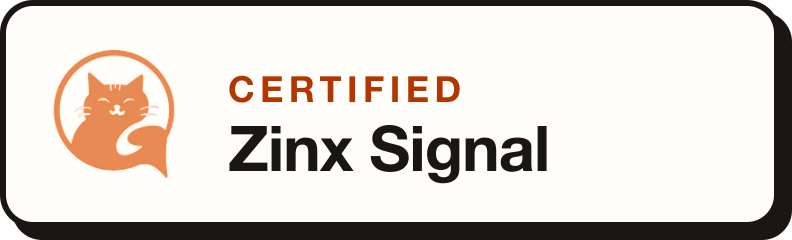

Use it
- Only once we have confirmed your certification by email.
- On your own website, proposals and profiles — linked to your certification, if you can link.
- As supplied: no recolouring, cropping or redrawing. Pick the light or dark version for your background.
- Remove it if your certification lapses or we ask you to.
Not certified yet? Apply by email.
Put it on your site
Press, partnerships, or a file that isn’t here: [email protected].